Accessible Solitaire Version 4.2 includes a new game called Royal Parade Solitaire. I should say that I’d never heard of Royal Parade solitaire before adding it to the app, so if you spot something unexpected in the game rules listed below, please do let me know.
Please read these two important points before playing the Royal Solitaire game.
- Despite the name of the app, the new game is not accessible. This is true for the other games in the app too, where the size of some important things shown in the games is woefully small. In the case of this first release of the Royal Parade game, the background colours of cards can change to indicate whether the card is open for other cards to be placed on top, or to indicate that a pile of four cards is complete. But a fundamental tenet of accessibility is that no important information should be conveyed through use of colour alone. In a later release of the game, I’ll update the visuals such that the state of the card is conveyed through some means in addition to colour.
- I played the game over fifty times during development and only managed to win the game once. I’d not heard of the game before building it, and so it’s possible I’ve misunderstood the rules and built a game that’s harder to win than it should be. And it’s always possible that I’ve bungled the building of the game, and just built something that doesn’t follow the rules. I read on the web that the Royal Parade solitaire game is hard to win, and typically only one in ten games are won, but really, I seem to have built something far harder to win. So with that in mind, by default, the new Royal Parade game in the Accessible Solitaire app allows cards to be placed on top of other cards regardless of the cards’ suits. For example, a 5 of Hearts can be placed on a 2 of Clubs. This means the game is much more likely to be won. If you’d prefer the traditional Royal Parade game rule where only cards of the same suit can be built into a pile, go to the Settings page and turn on the “Same suit” setting.
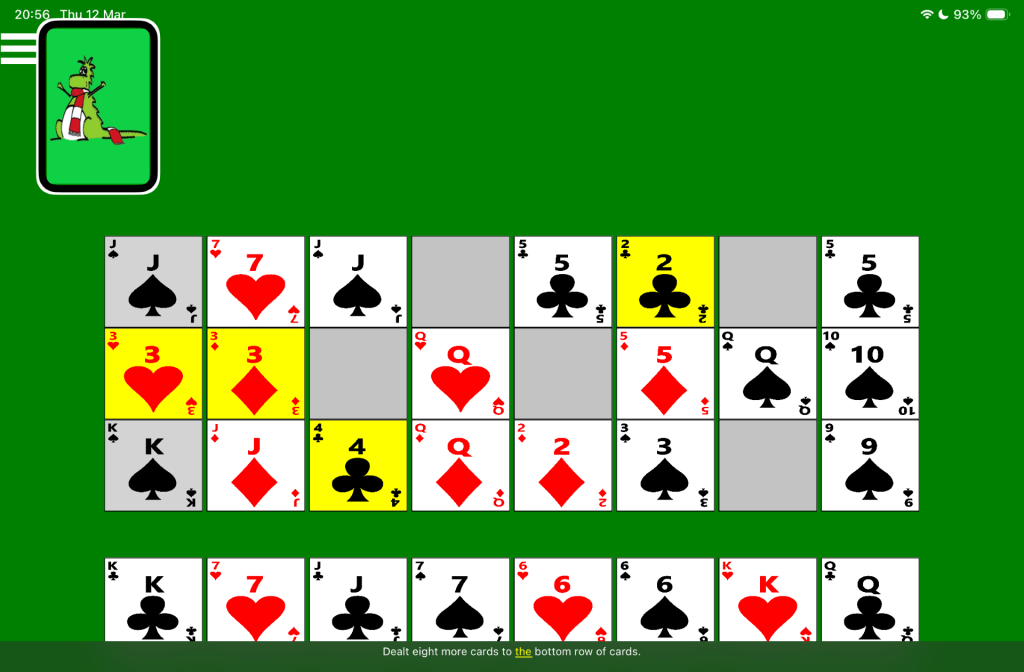
The picture below shows an in-progress game of Accessible Royal Parade Solitaire, showing in landscape orientation on an iOS device. The VoiceOver screen reader’s highlight is at the Next Card button, and its captions shows: “Dealt eight more cards to the bottom row of cards.” Cards shown in the four row of cards have either a white, a grey, or a yellow background.
Playing the game
Royal Parade solitaire uses two shuffled packs of cards. The first 32 cards are dealt face-up, in four rows of eight cards. If at any point during the game an Ace is shown in one of these 32 spots, a click on the Ace will discard it from the game. It is recommended that clearing any Aces from the game is done as a first step in playing the game as that might leave an empty spot which could be helpful later.
The remaining 72 cards are placed face-down in a pile near the top left corner of the app.
The goal of the game is to make 24 piles of four cards in each of the eight spots in the first three rows of cards. All the piles on the first row are to be built up of cards in the order (from the bottom) of 2, 5, 8, and Jack. All the piles on the second row are to be built up of cards in the order of 3, 6, 9, and Queen. All the piles on the third row are to be built up of cards in the order of 4, 7, 10, and King.
The following rules dictate how card cans be moved in the game.
- First click the card you wish to move, and then click a card which is to have the other card moved on top of it. For example, click a card with rank 5, and then click a card with rank 2, to move the 5 on top of the 2. This will result in a pile containing a 2 and a 5. Only the top card in the pile, in this case a 5, will be shown.
- If the “Same suit” setting has been turned on, a card can only be moved on top of another card if the cards are both the same suit. For example, a 5 of Hearts can be moved on top of a 2 of Hearts, but not on top of a 2 of Diamonds. By default, there are no restrictions on the suits of card placed on top of each other.
- A card of rank 2 cannot have a card of rank 5 moved on top of it unless the 2 is on the first row. Similarly, cards of rank 3 or 4 need to be in the second or third row respectively if other cards are to be placed on top of them.
- If a card is moved from a spot in the first three rows, that spot becomes empty. Once a spot is empty, a card from another row can be moved into that spot, if that card’s rank is 2, 3, or 4, and the row is the first, second, or third row respectively. For example, a 2 can be moved from the second or third row to an empty spot on the first row, or a 4 can be moved from the first or second row to an empty spot on the third row.
- Once a 2, 3, or 4, is on the first, second, or third row respectively, it cannot be moved, and the goal is to add the required three cards on top of it to complete the pile.
- The piles must be built up in order. For example, a card with rank 8 cannot be placed on top of a card with rank 5, and then those two cards together moved on top of a card with rank 2. Rather The 5 must be placed on top of the 2, and then the 8 on top of the 5.
- All cards on the fourth row are eligible to be placed on top of cards in the other three rows using the same rules as moving cards between the first three rows. Similarly cards can be moved from the fourth row to empty spots on the other three rows.
- No cards can be moved from the first three rows onto a card or empty spot on the fourth row.
- Typically once the game is started, Aces will be discarded, and then some cards will be moved between the first three rows, and some cards will be moved from the fourth row to the other three rows. Once no more moves are available, click the remaining cards pile. This results in the next eight cards in the remaining cards pile being dealt out along the fourth row. So each of the cards or empty spots in the fourth row will get one card added on top of it. Play then continues with whatever moves have become available after the eight cards have been dealt out.
- Only the top card in each growing pile in the fourth row is shown, despite a spot on the fourth row having anything from no cards, one card, or any number up to nine cards.
- A card cannot be moved from the top of one of the piles in the fourth row onto an empty spot on the fourth row.
- Once no more remaining cards are available, and no moves are available, the game cannot be won and so it must be restarted.
Screen Reader Use
The game-playing experience when using a screen reader is similar to the experience when playing the other solitaire games in the app, and similar announcements are made when moving cards around the game.
The button representing the pile of remaining cards near the top left corner of the app is named “Next card”, despite clicking on the button resulting in the next eight remaining cards being dealt out. The button is named “Next card” in order to keep the name consistent in all the solitaire games in the Accessible Solitaire app. When the button is clicked, a screen reader will announce: “Dealt eight more cards to the bottom row of.”
If a card on the first three rows can have another placed on it, VoiceOver will announce the card as “Open”. For example: “2 of Hearts, Open, Row 1, 7 of 8, Button”. If a card on the first three rows completes a full stack of four cards, VoiceOver will include “Full pile” in the announcement. For example: “Jack of Clubs Full pile, Row 1, 7 of 8, Button”.
When VoiceOver navigates to a card on the fourth row and the card sits on other cards at that spot, VoiceOver’s announcement includes the count of cards underneath. For example: “7 of Diamonds 2 Cards beneath, Row 4, 4 of 8, Button”. When a card is moved away from the fourth row, VoiceOver’s announcement includes the card now shown at the spot previously occupied by that card, if any.
If the setting is on to show the three optional screen reader buttons, the following screen reader announcements are made when the buttons are clicked:
1. The Game State button. Announces the names of all the cards in the four rows of dealt cards, and whether any more remaining cards are available.
2. The Available Moves button. Announces all moves that are currently available in the game.
3. The Open Cards button. Announces the open cards on every row, meaning a card can be placed on top of that open card, and also empty posts on each row.
Important: The Royal Parade game is a work in progress, and sometimes VoiceOver does not announce a card as it becomes revealed on the fourth row of cards, or announce available moves when a move is completed. These omissions will be fixed as soon as possible.
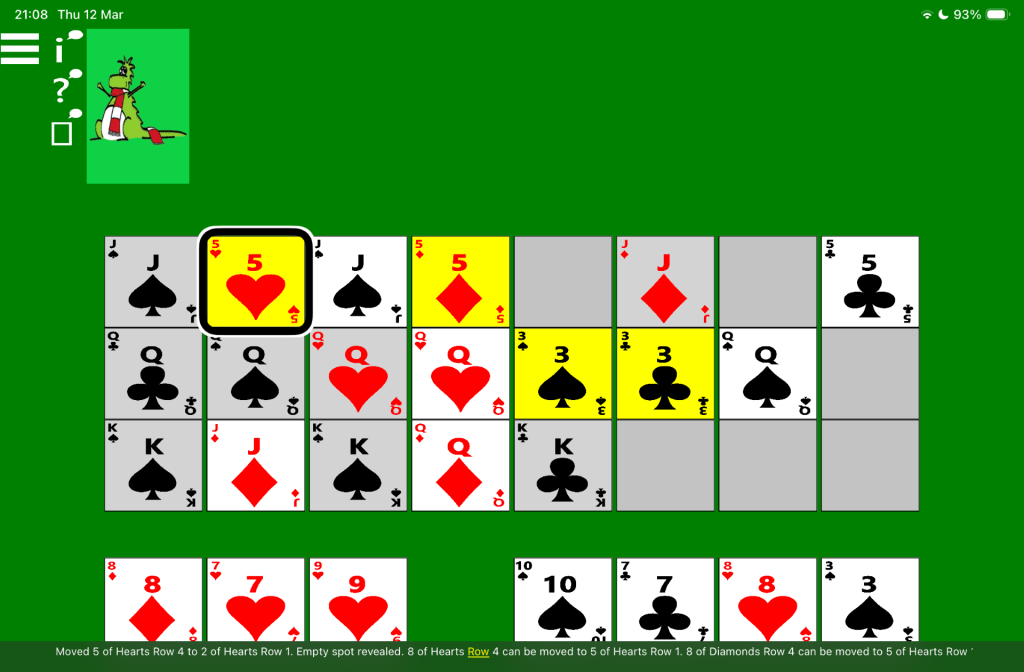
The picture below shows an in-progress game of Accessible Royal Parade Solitaire, showing in landscape orientation on an iOS device. The VoiceOver screen reader’s highlight is at the 5 of Hearts on the first row, and its captions shows: “Moved 5 of Hearts Row 4 to 2 of Hearts Row 1. Empty spot revealed. 8 of Hearts Row 4 can be moved to 5 of Hearts Row 1. 8 of Diamonds Row 4 can be moved to 5 of Hearts Row ”.
Speech input
To click a card in a card pile, say “Tap” followed by the name of the card. For example, to move a 5 of Diamonds onto a 2 of Hearts, say: “Tap five of diamonds”, followed by: “Tap two of hearts”. To turn over the next eight cards from the remaining cards pile, say: “Tap next card”.
Note: Given that two packs of playing cards are used in the Royal Parade game, often the same named card can appear in two places at the same time. For example, there may be two 4 of Diamonds cards which can be clicked. So when you say: “Tap four of diamonds”, the voice control feature might not know which 4 of Diamonds you want to click. In that case, a small number 1 or 2 will appear beside each of the 4 of Diamonds cards. You then say either “one” or “two” to specify which of the two cards you want to click.
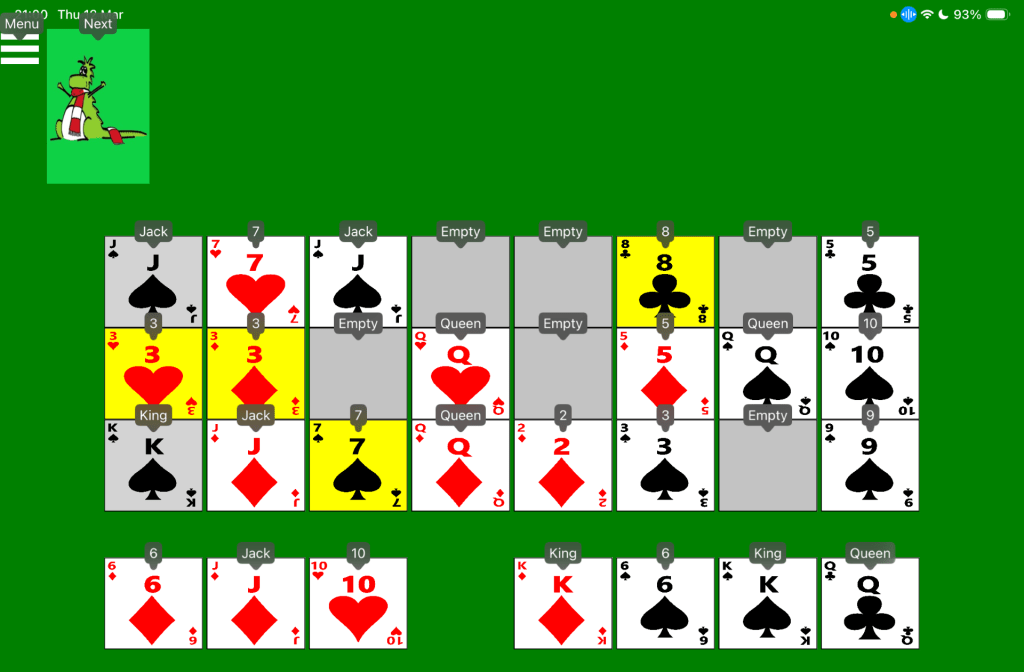
The picture below shows an in-progress game of Accessible Royal Parade on an iOS device. The iOS Voice Control feature is showing a small number or name beside all clickable parts of the game. For example, “Menu”, “Next”, “Jack”, “7”, and “Empty”.
Switch input
On devices supporting switch devices such as an iPad mini, the Royal Parade Solitaire game can be controlled using a switch device in a similar way to the existing Klondike solitaire game.
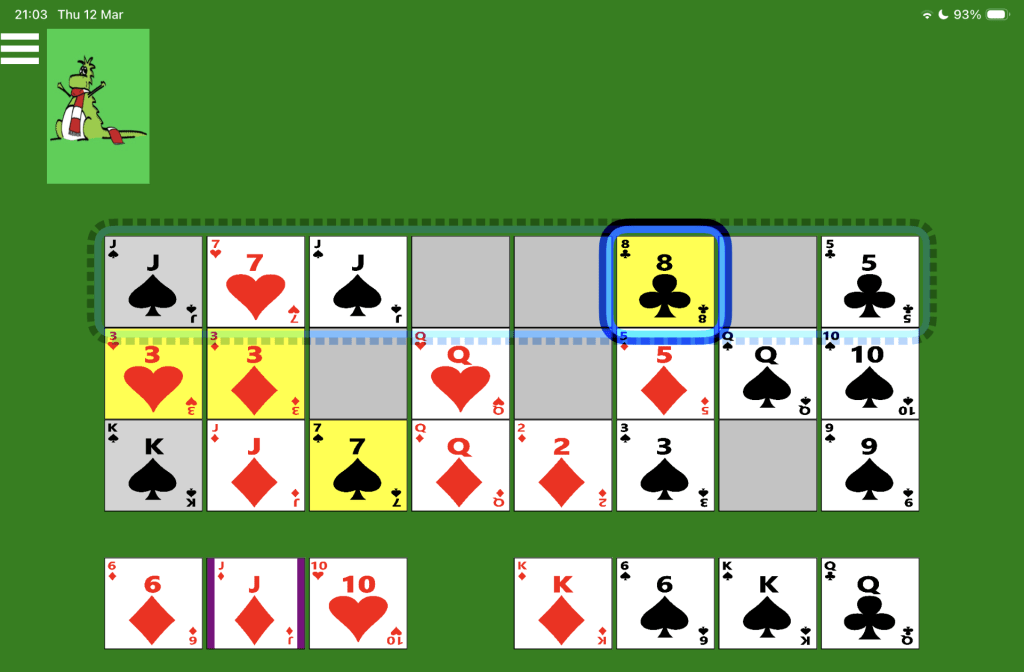
The picture below shows an in-progress game of Accessible Royal Parade on an iOS device, with the Jack of Diamonds on the fourth row selected. The iOS Switch Control feature is showing a translucent dotted blue box around the first row of cards, and a solid blue box around the 8 of Clubs on that row.
 Accessible Solitaire
Leave a comment