A while ago someone asked if I’d be building a solitaire game for Android. I had no plans at the time to do that, but here we are nearly two years later, and I have an app called Accessible Solitaire at the Apple, Google, and Microsoft Stores. I realise I took quite a liberty calling the app “Accessible Solitaire” given all the ways in which the app’s not accessible, but it’s up at the stores all the same.
In the 20-something years I’ve been building apps which explore a variety of accessible experiences, this new app really does seem to be enjoyable for many players. The app statistics report that typically the app has over five thousand sessions each month, and that only includes the 32% of users who agree to share such data. (Granted, a “session” only means the app’s run for at least two seconds, but one can do a lot in two seconds.)
And I do periodically get encouraging feedback from players, such as this positive note last week from Germany, despite not having German translations for the app: “I wanted to thank you for the fantastic Solitaire app you’ve developed. Right now, I play the various Solitaire games available in the app every day, and I’m really enjoying it! That’s why I also wanted to let you know that the games work very well with VoiceOver. So, thank you again for your effort and time!”
I’ve also had very positive feedback related to the experience playing the games with the iOS Voice Control feature too.
The only reason why the app has turned out to be so popular is because I’ve had essential feedback from a number of players, telling me where the app is working well, and where it isn’t. Without this feedback, the app certainly wouldn’t exist now.
That said, I do have a very long list of things I need to fix in the app. Players have reported many things that don’t work as expected, and some of those things really are serious. For example, the app can crash when starting a game, and restarting games can be very slow.
So I’m calling the place the app’s at now: “The End of Part 1”. I’ve added six different types of solitaire games since originally publishing the app with the Klondike game, and all those added games were suggested by players. It won’t be practical for me to work on the app for a couple of months now, but following that gap, “Part 2” for the app will begin, where I’ll spend the rest of the year working to fix many of the problems in the app. Hopefully this will mean that next year the app will be in a much better place for me to add more games if players would like that.
Below are some screenshots of the app running on iOS, with either VoiceOver, Voice Control, or Switch Control running. I’ve also included a screenshot of the app running on Android with the TalkBack screen reader, and on Windows with the Accessibility Insights tool reporting some important details on the accessibility of the app. While as far as I know the app doesn’t have much usage on Android and Windows, perhaps at some point I can improve the app experience for those platforms.
So once again, a huge thanks to everyone who’s helped me build the app, and a special thanks to Rose, Angela, and Piotr . Hopefully in a while when I’m back in a position to continue working on the app, your ongoing feedback will help to make the app even more fun to play!
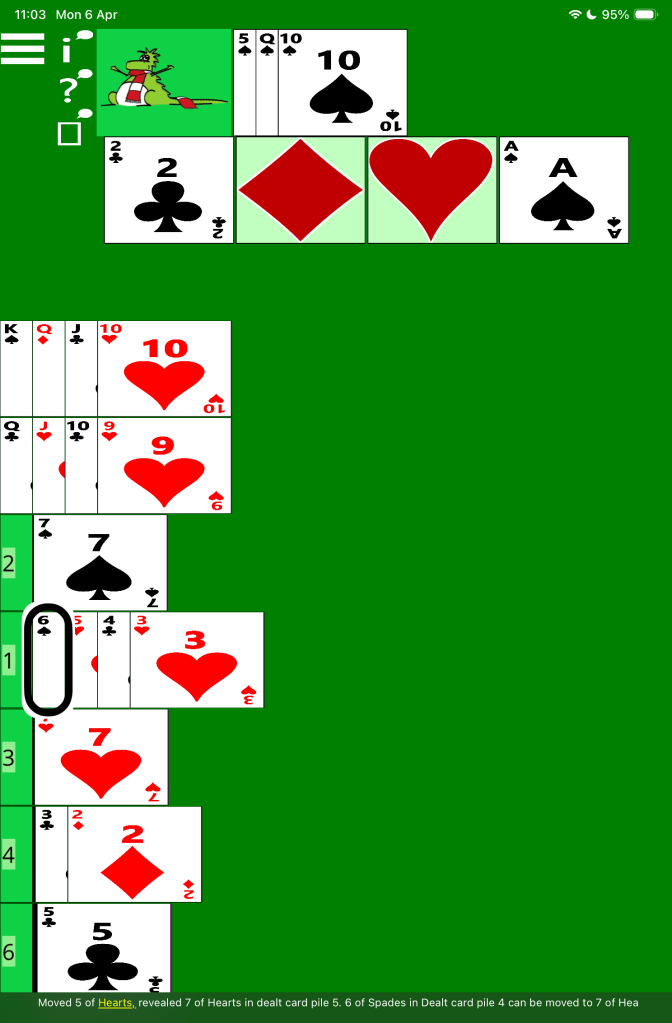
The following picture shows an in-progress game of the accessible Klondike solitaire game. The iOS VoiceOver feature is highlighting the 6 of Spades in the fourth dealt card pile, and its truncated caption is: “Moved 5 of Hearts, revealed 7 of Hearts in dealt card pile 5. 6 of Spades in Dealt card pile 4 can be moved to 7 of Hea”.
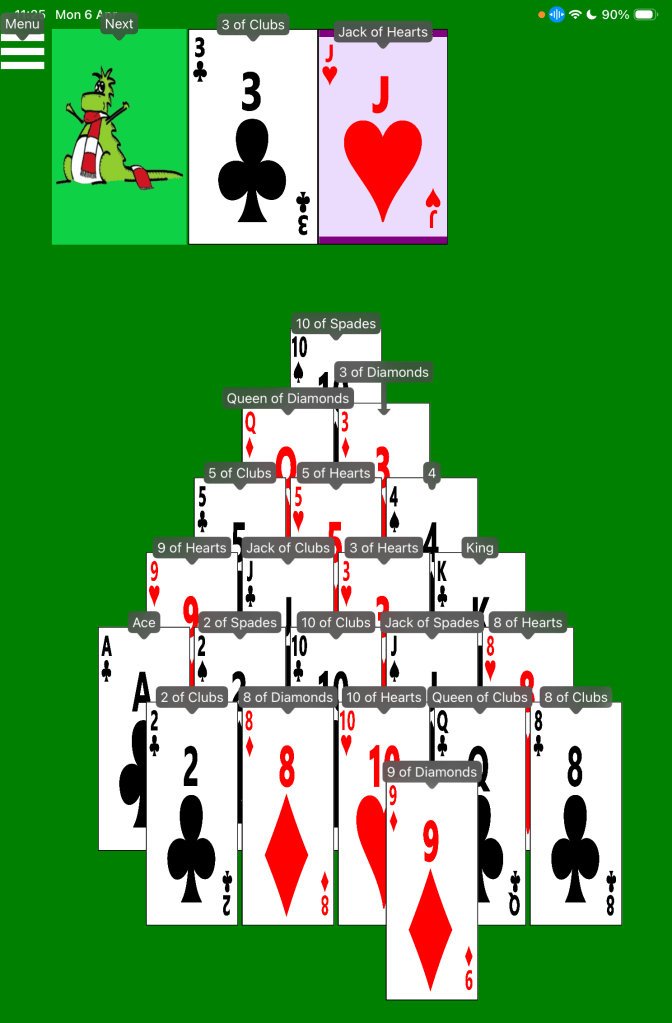
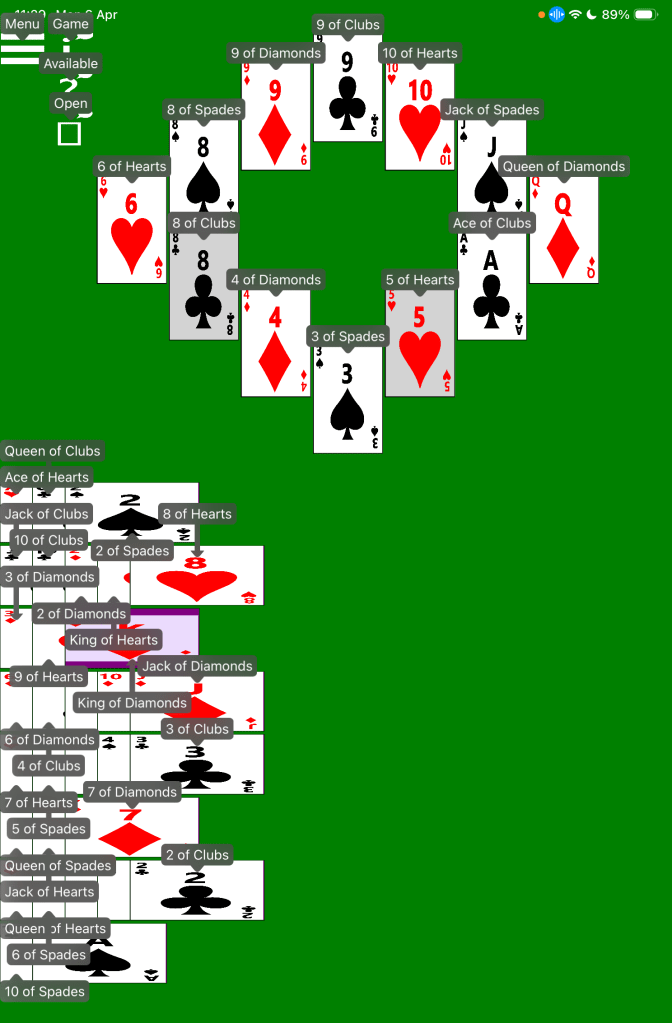
The following picture shows an in-progress game of the accessible Pyramid solitaire game. The iOS Voice Control feature shows text by every button in the game, for example, “Menu”, “Next”, “3 of Clubs”, “Jack of Hearts”, “9 of Diamonds”.
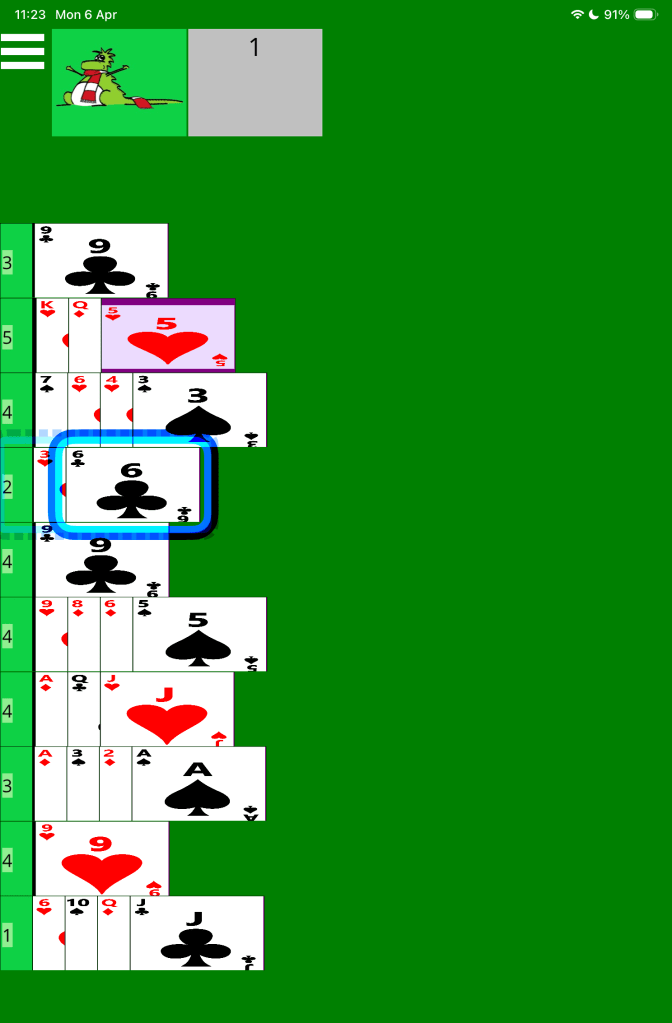
The following picture shows an in-progress game of the accessible Spider solitaire game. The iOS Switch Control feature is drawing a faint blue dotted rectangle around the fourth dealt card pile, and a solid blue rectangle around the 6 of Clubs in that pile.
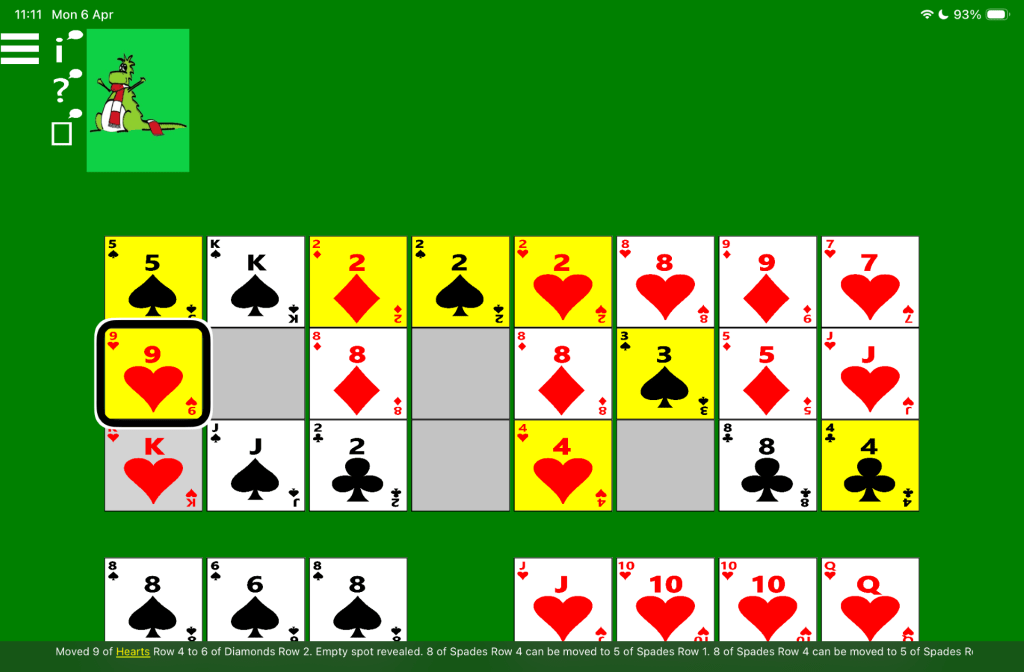
The following picture shows an in-progress game of the accessible Royal Parade solitaire game, in landscape orientation. The iOS VoiceOver feature is highlighting the 9 of Hearts in the second row of dealt cards, and its truncated caption is: “Moved 9 of Hearts Row 4 to 6 of Diamonds Row 2. Empty spot revealed. 8 of Spades Row 4 can be moved to 5 of Spades Row 1. 8 of Spades Row 4 can be moved to 5 of Spades Ro”.
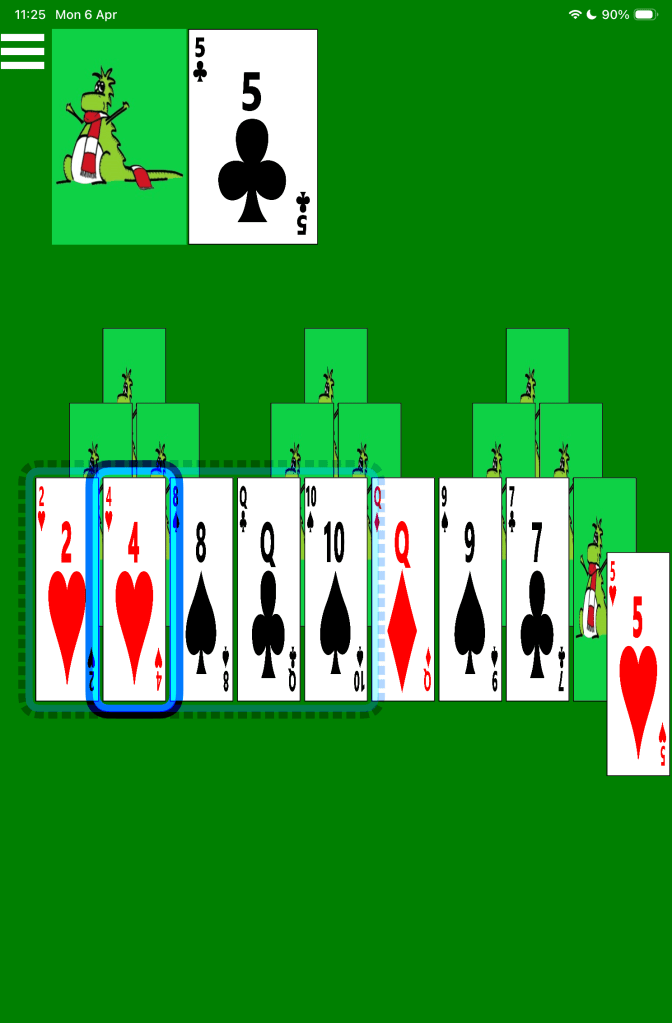
The following picture shows an in-progress game of the accessible Tri Peaks solitaire game. The iOS Switch Control feature is drawing a faint blue dotted rectangle around the first five cards in the third row of dealt cards, and a solid blue rectangle around the 4 of Hearts amongst those five cards.
The following picture shows an in-progress game of the accessible Grandfather’s Clock solitaire game. The iOS Voice Control feature shows text by every button in the game, for example, “Menu”, “Game”, “9 of Clubs”, “3 of Spades”, “8 of Hearts”.
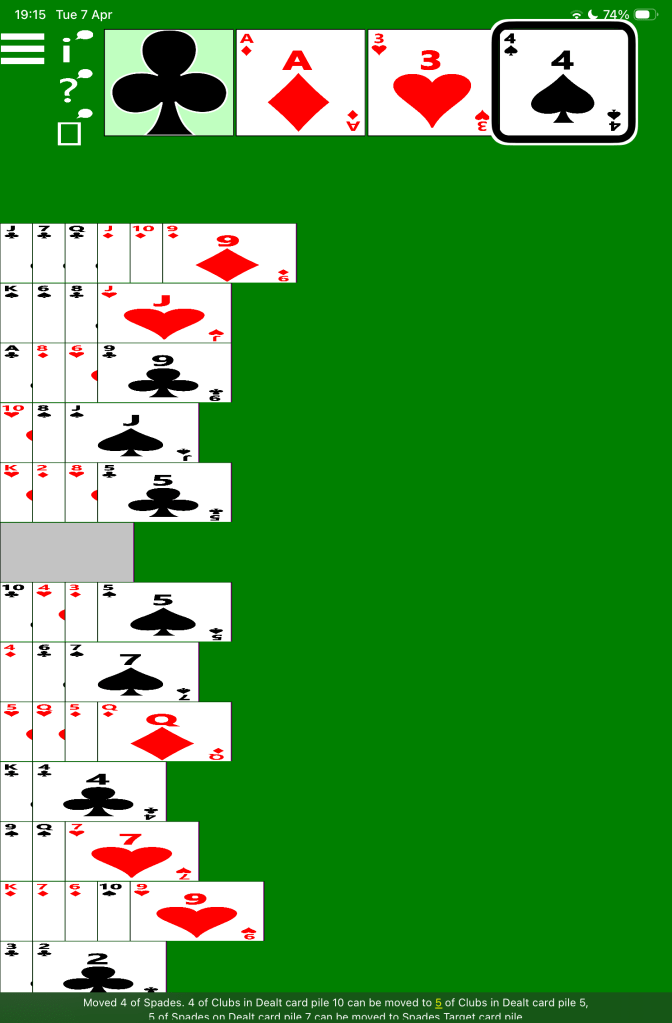
The following picture shows an in-progress game of the accessible Baker’s Dozen solitaire game. The iOS VoiceOver feature is highlighting the 4 of Spades in the Spades target card pile, and its caption is: “Moved 4 of Spades. 4 of Clubs in Dealt card pile 10 can be moved to 5 of Clubs in Dealt card pile 5, 6 of Spades on Dealt card pile 7 can be moved to Spades Target card pile”.
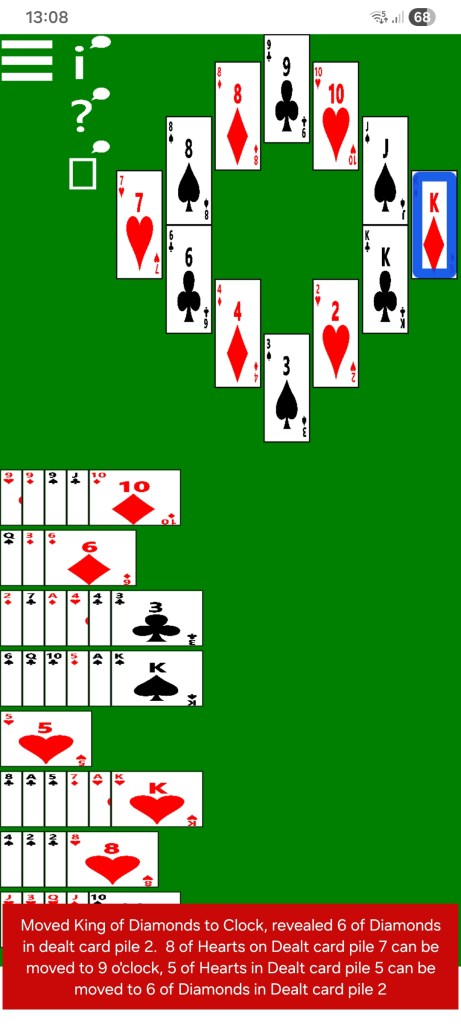
The following picture shows an in-progress game of the accessible Grandfather’s Clock solitaire game. The Android TalkBack feature is highlighting the King of Diamonds at 3 o’clock in the clock cards, and its caption is: “Moved King of Diamonds to Clock, revealed 6 of Diamonds in dealt card pile 2. 8 of Hearts on Dealt card pile 7 can be moved to 9 o’clock, 5 of Hearts in Dealt card pile 5 can be moved to 6 of Diamonds in Dealt card pile 2”.
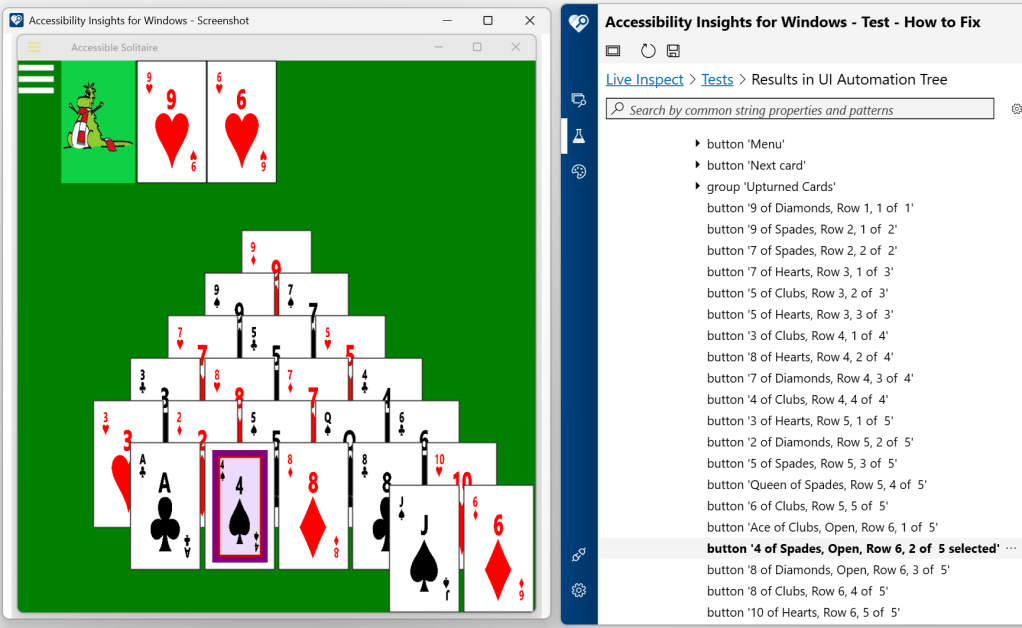
The following picture shows an in-progress game of the accessible Pyramid solitaire game running on Windows. The Accessibility Insights for Windows tool is reporting the programmatic interface of the app. The tool shows that all the cards in the pyramid are represented as Buttons, with their names made up of the rank and suit of the card, followed by “Open” if the card can be selected, followed by the row index and the position of the card in the row, and finally followed by “selected” if the card is currently selected. For example, “9 of Diamonds, Row 1, 1 of 1”, “4 of Spades, Open, Row 6, 2 of 5 selected”.
 Accessible Solitaire
Leave a comment