To review some of the known issues in the Accessible Solitaire app, please visit: https://accessiblesolitaire.com/2026/02/18/accessible-solitaire-known-issues.
Accessible Solitaire Version 3.14 includes a new solitaire game called Baker’s Dozen Solitaire. This is in addition to the existing Klondike, Pyramid, and Tri Peaks solitaire games in the app.
Important: Please note that the Baker’s Dozen game is very difficult to win, and so it is recommended that when getting acquainted with the Accessible Solitaire app, you start with one of the other solitaire games with the app. Note also that due to the wide layout of the Baker’s Dozen game, it’s preferable to play using a device in a landscape orientation.
When a game of Baker’s Dozen starts, all 52 playing cards are dealt out in 13 piles of 4 cards.
The cards in the piles are arranged such that only the top card is fully shown, and the other cards in the pile only have the top part of each card shown.
To win the game, move all the cards from the 13 piles of cards up to the four target card piles. The cards are moved up to the target card piles in a similar order to that used in the Klondike solitaire game, with the Ace of a suit moved first to its matching suit’s target card pile, followed by the 2 of the same suit, up through all the cards of that suit, and finally the King.
Once a card has been moved to a target card pile, it cannot be moved again.
The only other move available in the game is to move cards between the 13 dealt card piles, in order to be able to access a card lower in a pile that can be moved to a target card pile.
Only the top card in a pile can be moved. The other cards in the pile cannot be selected for a move. So unlike the Klondike solitaire game, multiple cards cannot be moved at the same time.
A card can be moved on top of the top card in another pile if the rank of the card being moved is one less than the card in that other pile. Unlike the Klondike solitaire game, the suit of the two cards involved does not matter. For example, in the Baker’s Dozen game, a 4 of Clubs at the top of one pile can be moved onto a 5 of Spades at the top of another pile.
Once a card pile is empty, no card can be moved onto the empty pile.
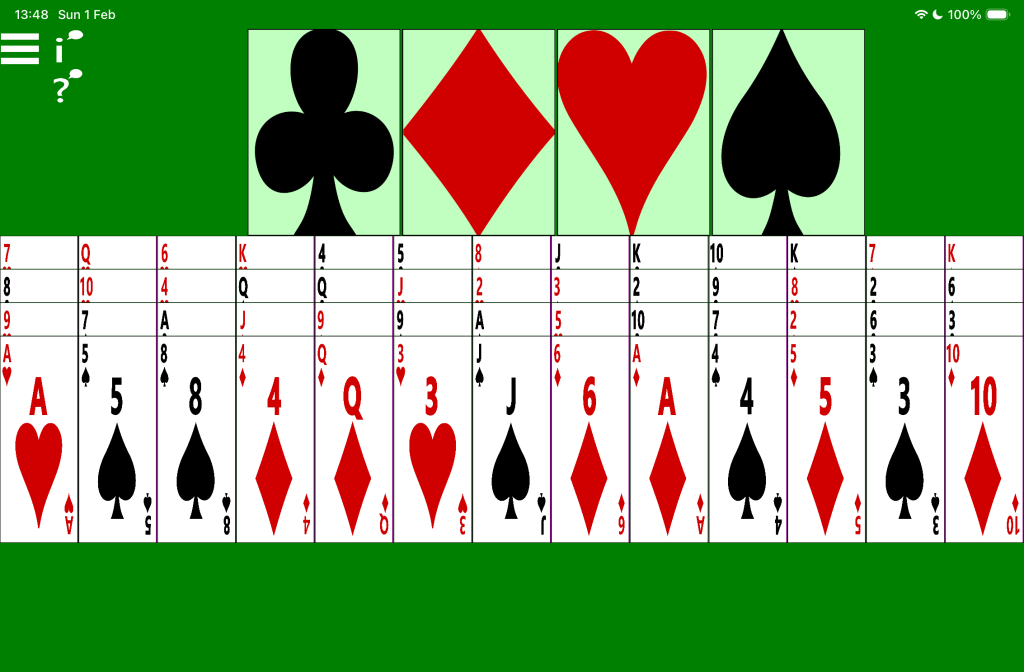
The picture below shows a new game of Accessible Baker’s Dozen solitaire. At the top of the screen are the four empty target card piles. Below are the 13 piles of cards, each containing 4 cards. Amongst the top cards of the 13 piles are two Ace cards, which are eligible for moving to the associated target card piles.
Screen reader use
The game-playing experience when using a screen reader is similar to the experience when playing the Klondike game.
Important: Currently the screen reader announcements made following a click on the button to have available moves announcements is not helpful. The announcement includes every available move, and most of those moves will not help to win the game. Please send feedback to let me know what move-related announcement would be more helpful. While it won’t be practical for me to have the screen reader announce the move most likely to help win the game, perhaps the announcement could include the position of the few cards in the dealt card piles which are closest in rank to the cards in the four target card piles.
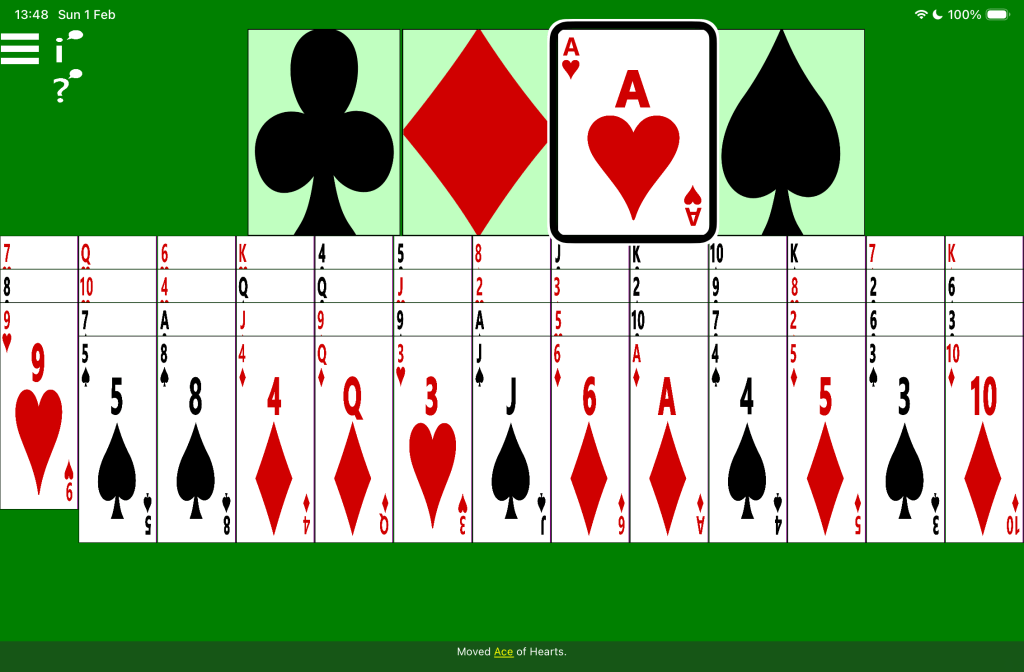
The picture below shows an in-progress game of Accessible Baker’s Dozen solitaire. The Hearts target card pile contains the Ace of Hearts, and the first pile of dealt cards only contains three cards. The screen reader’s highlight is around the Ace of Hearts, and its caption says: “Moved Ace of Hearts.
Speech input
To click a card in a card pile, say “Tap” followed by the name of the card. For example, “Tap four of clubs”. To move a selected Ace from a card pile up to the associated target card pile, say: “Tap”, then the suit name, followed by “pile”. For example, “Tap Diamonds pile”.
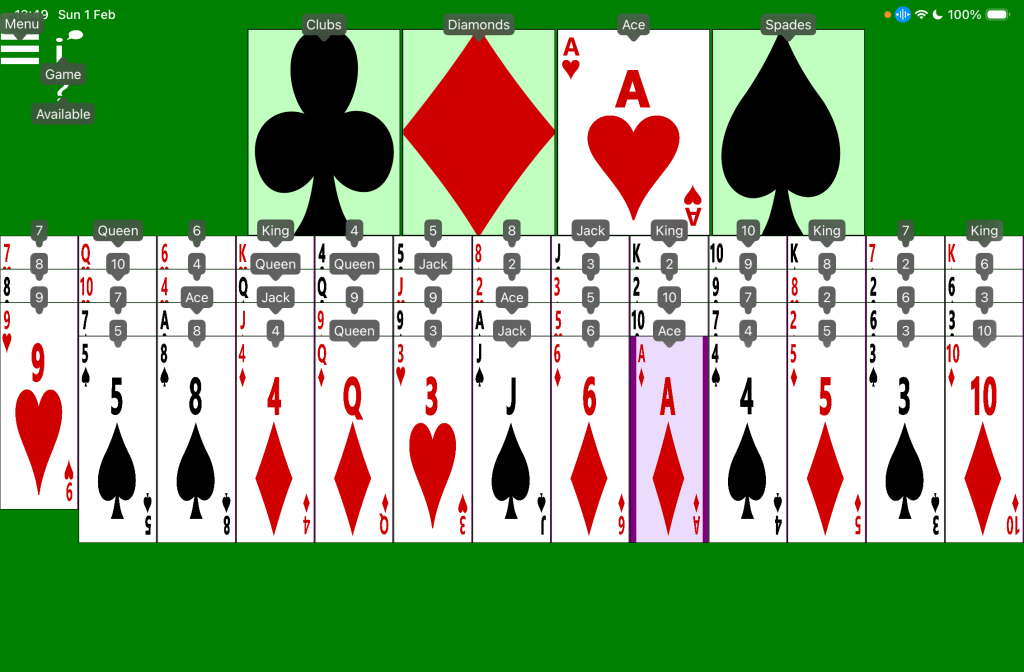
The picture below shows an in-progress game of Accessible Baker’s Dozen solitaire. The Hearts target card pile contains the Ace of Hearts, and the first pile of dealt cards only contains three cards. The device’s voice control feature is showing numbers or words by every clickable element in the game. For example: “Menu”, “Clubs”, Ace”, and “9”.
Switch input
On devices supporting switch devices such as an iPad mini, the Baker’s Dozen game can be controlled using a switch device in a similar way to the existing Klondike solitaire game.
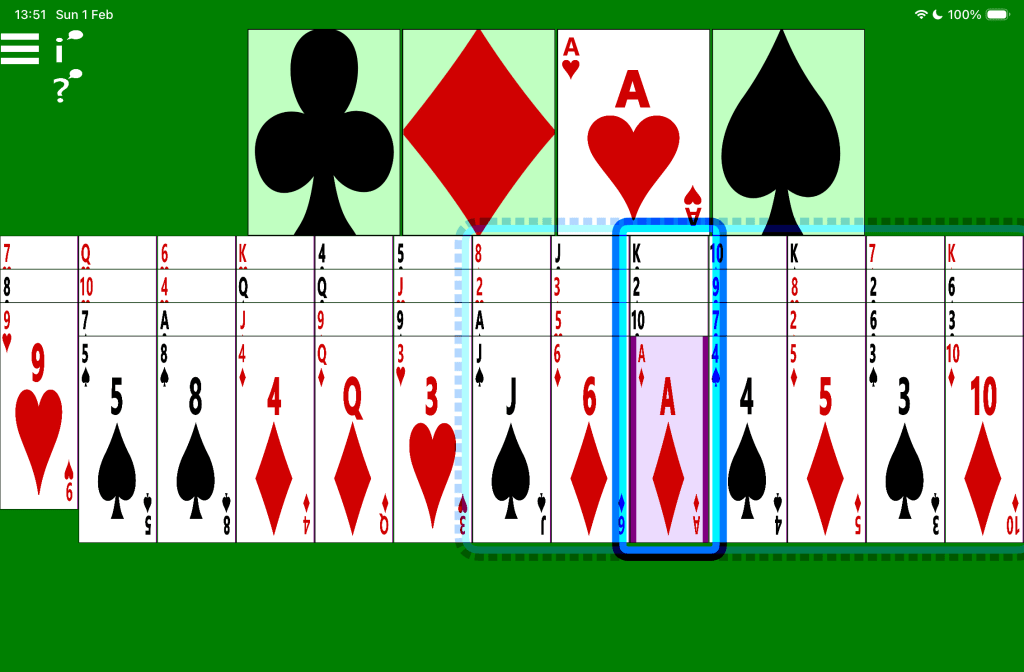
The picture below shows an in-progress game of Accessible Baker’s Dozen solitaire, with a device’s switch control feature showing a translucent dotted blue rectangle around the last seven piles of dealt cards. A solid blue rectangle appears around the ninth pile.
 Accessible Solitaire
Leave a comment