To review some of the known issues in the Accessible Solitaire app, please visit: https://accessiblesolitaire.com/2026/02/18/accessible-solitaire-known-issues.
Accessible Solitaire Version 3.11 includes a new solitaire game called Tri Peaks Solitaire. This is in addition to the existing Klondike and Pyramid solitaire games in the app.
When a game of Tri Peaks solitaire starts, 28 playing cards are dealt to form three triangles next to each other. The triangles of cards each have four rows, with one card on the top row, then two cards, then three cards, and finally four cards on the bottom row. The bottom corner cards in the middle triangle are shared with the two adjacent triangles of cards, which means the bottom row of cards contains ten cards and runs continuously across the screen.
The cards are arranged such that all cards on the top three rows of triangles are partially obscured by the two cards in the row beneath them.
At the start of the game, only the cards on the fourth row in the triangles are face-up.
Given that the cards in the three triangles are sized to fit the screen, it’s recommended that the game is played with your device in landscape orientation.
The remaining 24 cards from the pack of cards are placed face-down in a pile near the top left of the screen, in a similar way to how they’re placed in the other solitaire games in the app. When the Tri Peaks game starts, the top card in the remaining card pile is turned up and placed in a waste pile next to the pile of remaining cards.
To win the game, move all the cards from the three triangles of cards, up to the waste pile. To move a card from a triangle of cards, click the card. If the card’s rank is one different from the rank of the card at the top of the waste pile, then the clicked card will be moved to the top of the waste pile. For example, if the top card in the waste pile is the 4 of Clubs, then a card with a rank of 3 or 5 of any suit can be moved from the triangles of cards. If one of the cards involved in the move is an Ace, then the other card can be either a 2 or a King.
A card can only be moved from a triangle of cards if it is open, which means there are no cards partially obscuring it from the row below it. Once cards are moved from a row and a card on a higher row becomes open, it Is turned face-up.
If it is not possible to move a card from one of the triangles of cards up to the waste pile, then a click on the remaining card pile will turn up the top card from the remaining card pile and place it on the waste pile. Once this is done, the triangles of cards can be re-examined to consider whether a card can now be moved up to the waste pile. Once all the remaining cards are turned up and no more cards can be moved from the triangles of cards, the game is over. Note that in the Tri Peaks game, the pile of turned up remaining cards cannot be turned back down as it can in the other solitaire games.
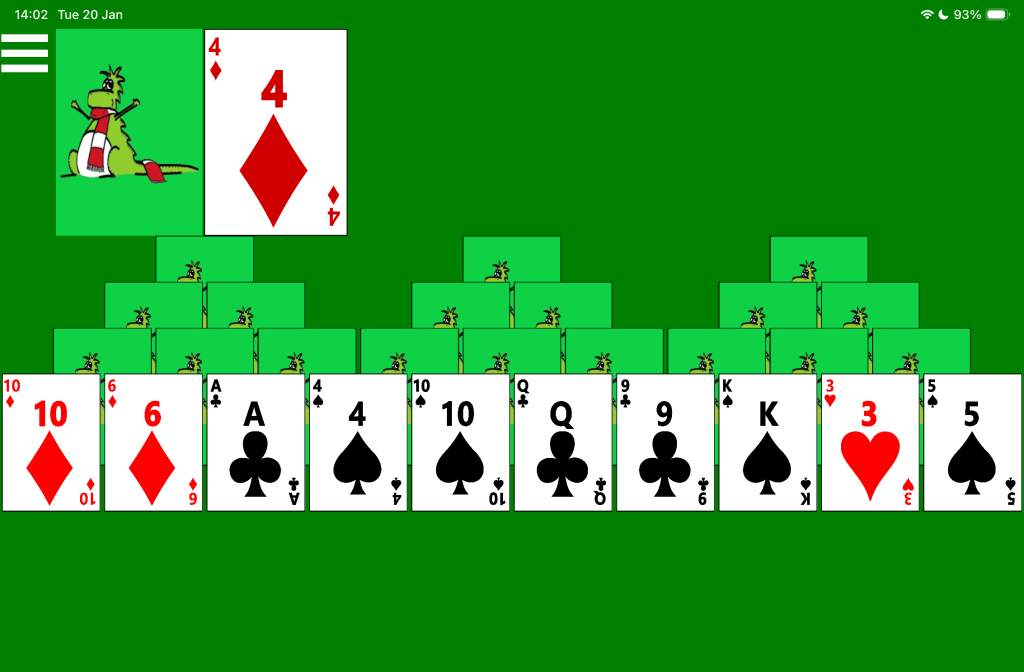
The picture below shows a new game of Accessible Tri Peaks solitaire. Three triangles of card are arranged across the screen, with all cards face-down except the ten cards in the fourth row which are all face-up. Near the top left corner is the pile of remaining cards and next to it is the 4 of Diamonds on the waste pile.
Screen reader use
The game-playing experience when using a screen reader is similar to the experience when playing the Pyramid game.
Important (PLEASE NOTE THIS): When a card is moved from a triangle of cards up to the waste pile, the screen reader will move away from that moved card to either another card in the triangle of cards, or to the main Menu button. It may take a couple of seconds for the screen reader to move to its new location after the move, and so you may want to wait for a moment to let the screen reader settle. Otherwise, you might begin the next move and find the screen reader jumps away while you’re doing that. Once the screen reader has repositioned itself, it may be necessary to move it back to some point of interest in the triangles of cards. Also, if the setting is on to announce available moves after a move is complete, that announcement will be made three seconds after the move is completed, regardless of whether the screen reader is already making an announcement related to where it has moved.
Depending on the screen reader, when swiping left or right to move through the cards in the triangles of cards, the navigation may be either left or right in a row, or diagonally through the triangles of cards.
By default, none of the cards in the triangles of cards are headings. If the related setting is turned on, then the first card in each row across the screen becomes a heading, enabling faster screen reader swipe navigation between rows.
Please consider turning on the following app settings when using a screen reader to play the Tri Peaks game.
- Show screen reader buttons. This means the screen reader can announce available moves in the game, and details of which cards are currently open in the triangles of cards.
- Automatic move announcements. This means the screen reader will automatically announce details of what moves are available after a move is complete. As mentioned above, please give the screen reader three seconds to begin that announcement after a move is complete.
- Set as headings. This enables faster screen reader navigation between rows. Please do not turn this on if the game is played with speech input.
- Sounds: Play sounds when a move attempt is successful and when it is not successful. Also play a sound when the game is won.
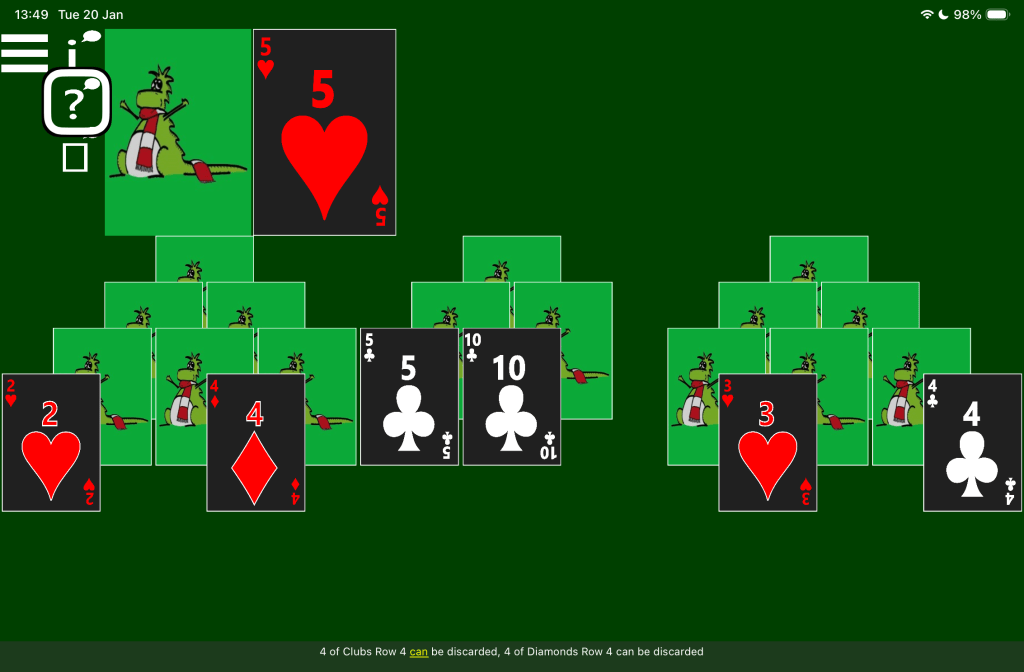
The picture below shows a game of Accessible Tri Peaks solitaire in dark app theme colours, and a screen reader’s caption showing available moves in the game. The three triangles of cards have had some cards removed and there are face-up cards on both the third and fourth rows. The screen reader highlight is at the button for announcing available moves in the game, and its caption says: “4 of Clubs Row 4 can be discarded, 4 of Diamonds Row 4 can be discarded”.
Speech input
To click a card in the triangles of cards, say “Tap” followed by the name of the card. For example, “Tap four of clubs”. To turn up the top card in the remaining card pile, say: “Tap next card”.
Say “Tap Menu” to open the app menu and restart the game, select another solitaire game, or open the Settings page.
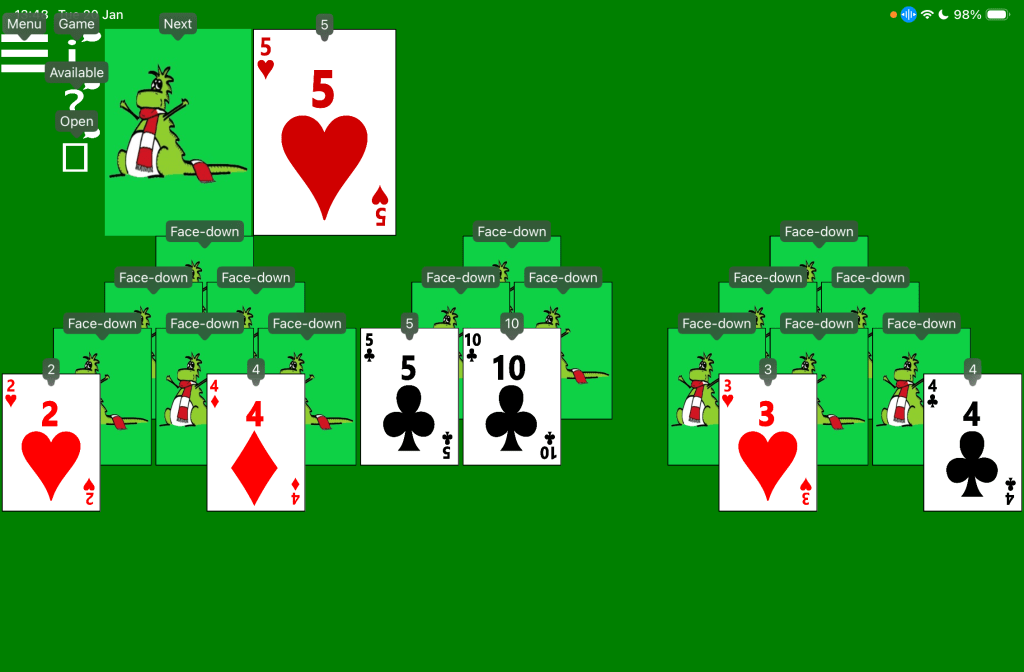
The picture below shows a game of Accessible Tri Peaks solitaire with a device’s speech control feature showing names by the various buttons and cards shown in the game. The three triangles of cards have had some cards removed and there are face-up cards on both the third and fourth rows. Small windows appear by all elements in the game, containing names including: “Menu”, “Game”, “Available”, “Open”, “Next”, Face-down”, “2”, “4”, and “5”.
Switch input
On devices supporting switch devices such as an iPad mini, the Tri Peaks game can be controlled using a switch device in a similar way to the existing Pyramid solitaire game.
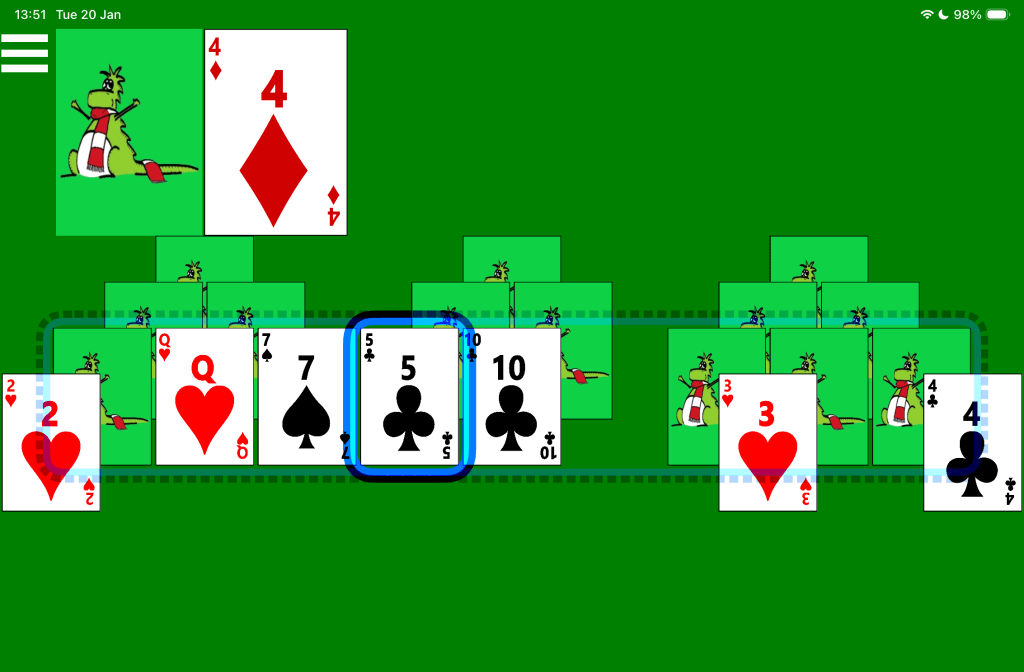
The picture below shows a game of Accessible Tri Peaks solitaire with a device’s switch control feature showing a dotted highlight around the third row of cards across all triangles of cards, and a solid highlight on one of the cards on that third row. The three triangles of cards have had some cards removed and there are face-up cards on both the third and fourth rows. A translucent dotted blue rectangle surrounds the third row of cards across all triangles, including face-down and face-up cards, and one empty space. A solid blue rectangle appears around the 5 of clubs on that row.


 Accessible Solitaire
Leave a comment