Here’s a quick update on the iOS Accessible Solitaire app as it stands at the end of 2025. The app is freely available at the Apple App Store, Accessible Solitaire.
First the bad news: Two people have contacted me to let me know that the app simply closes down during game play for no reason. This is obviously very serious, and the first thing I’ll be working on when I get back to the app in 2026. Unfortunately, this problem doesn’t happen for me on my own iPad mini running iOS 26, so it might take a little while to get to the bottom of it. For any players affected by this, please do accept my apologies. I’ll try my best to get it fixed as soon as possible.
Now the good news: The new Pyramid Solitaire game seems to be going down well. And very importantly, players are sending me feedback which is helping me learn how I can make the game more enjoyable to play.
For example, one player suggested that the “Congratulations!” message that appears when you win a game should include the time it took to play the game. And another player suggested that the game should provide a way to have the VoiceOver screen reader announce which cards in the pyramid are open, meaning that they can be selected. That player felt that by adding that feature, the time it takes to win the game could be dramatically reduced. And one of the very important goals of the app is that it should be efficient to play the game.
Actually, that last point is very significant. After I added the suggested button, the person who requested it said: “The first game of pyramid solitaire I won took me 20 minutes and 27 seconds to complete, and the game of pyramid solitaire I just won took me 10 minutes and 33 seconds to complete”. So the button did indeed make a huge difference! It was straightforward for me to add the button, and for some users it will make the game-playing experience much more efficient. But I wouldn’t have added the button if it wasn’t for the helpful feedback I’d received. So for all you app developers out there, please do continue to solicit feedback to help you learn how you can make completing tasks in your app more efficient for all your users.
And to all players – please do continue to send feedback and suggestions to help me make the game as efficient and fun to play as I can.
Also, while I certainly want to learn where the game isn’t working as it should, I also enjoy hearing about when it is proving enjoyable, as that helps me learn where I’m on the right track. For example, it was very rewarding for me to hear the following relating to the new Pyramid game:
“There are very few visually impaired games that are so accessible.”
“Just updated the pyramid solitaire game. Works GREAT for me! … I can’t wait to see what the next update will bring!”
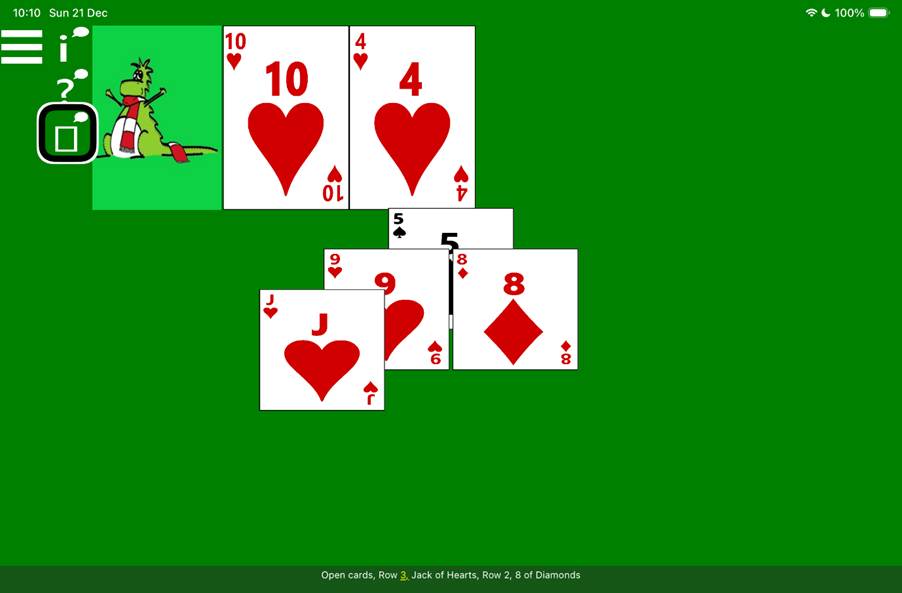
The following picture shows an in-progress game of Pyramid Solitaire, with four cards remaining in the pyramid. The VoiceOver screen reader highlighting the Open Cards buttons, and its caption shows: “Open cards, Row 3, Jack of Hearts, Row 2, 8 of Diamonds”.
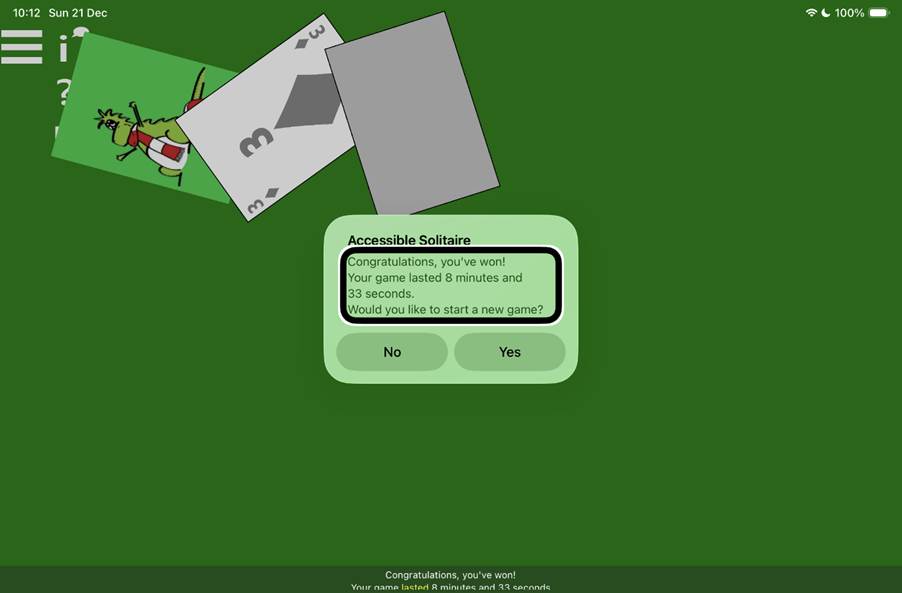
The following picture shows a won game of Pyramid Solitaire, and a window saying: “Accessible Solitaire. Congratulations, you’ve won! Your game lasted 8 minutes and 33 seconds. Would you like to start a new game?” The VoiceOver screen is highlighting the middle part of the message, and its captions shows the associated announcement.
Tip: When playing the Pyramid game with VoiceOver, you might be interested in turning on the following settings:
Show screen reader buttons. With these buttons, you can have available moves announced, and also the list of open cards.
Headings: Turn this on if you’d like the first card on each row to be a heading, to support fast VoiceOver navigation between rows.
Sounds: You might find it helpful to have a sound played when cards are successfully discarded from the pyramid. In 2026 I hope to add a range of sounds to choose from.
Audio Experience: Perhaps you’d enjoy some celebratory audio when you’ve won the game? Today you can choose from a brass fanfare or an 18th century Compton spinning mule.
Also, whenever a card is discarded from the pyramid, VoiceOver will move away from where that card was, to the card to the left on that same row, (or to the last card on the previous row if the discarded card was the first card on a row). After discarding a card, please wait for VoiceOver to announce where it has moved, before continuing to play the game. Otherwise you may manually move VoiceOver somewhere in the game, and then VoiceOver will still automatically move to the other card.
Videos: The short video at Accessible Solitaire games being played with different types of input briefly shows the Klondike and Pyramid games being played on an iPad mini with VoiceOver, Voice Control and Switch Control. Also, Pyramid Solitaire – A New Version of Accessible Solitaire is a Polish video discussing the new game, and English subtitles can be shown when viewing the video.
So that’s how things are at the end of 2025. Thanks to everyone who’s helped me make progress during the year, and I look forward to continuing this journey in 2026, a journey which is only possible with help from you all.
All the best,
Guy
 Accessible Solitaire
Leave a comment